The hybrid event comms playbook: on-site crew and remote presenters
A practical playbook for AV teams running hybrid events: how to coordinate stage managers, on-site crew, and remote presenters on a single comms layer.
• John Barker
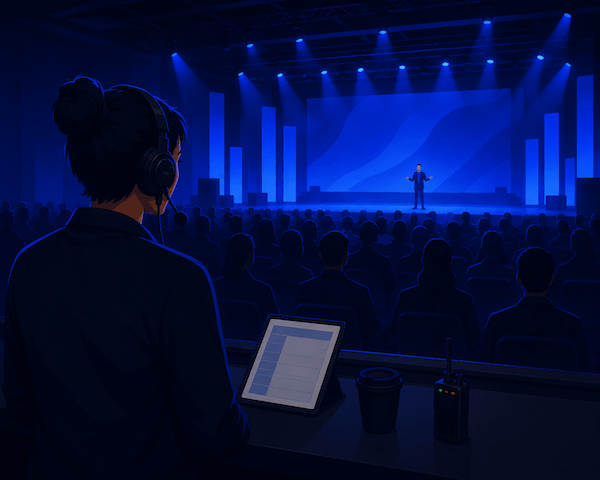
Picture two audiences in two rooms. Three hundred people in a hotel ballroom in Boston. Two thousand watching a livestream from kitchens, offices, and couches across four time zones. They are nominally watching the same conference. In reality, they’re watching two slightly different shows, and the production team backstage is responsible for keeping both on the rails simultaneously.
That’s a hybrid event in 2026. And the difference between one that flows and one that stalls is almost entirely about comms: who can talk to whom, when, and without the audience hearing.
This is the playbook. It’s organized around the five conversations that have to happen during a hybrid event, and how to architect comms so each one happens cleanly.
The two-audience problem
The thing that makes hybrid events different from in-person events isn’t the technology. It’s that the production team is now responsible for a virtual audience that has no body language to read.
When something stalls in a ballroom, the audience can see what’s happening. They can see the speaker walk back to their laptop, see the AV tech jog to the stage, fill the silence with neighborly small talk. None of that helps a remote viewer staring at a still frame on Zoom. From their seat, a five-second silence is a panic; a thirty-second silence is the broadcast ending.
So the stage manager and the show caller have a more demanding job than they’d have in person. They have to keep the show moving for both audiences at once, with much less recovery slack on the remote side. Good comms is what gives them the situational awareness to do it.
The five conversations
Every hybrid event has the same five real-time conversations happening backstage, all of which need their own channel:
- Stage manager → on-stage talent. Walk-on cues, time signals, transition prompts.
- Show caller → AV crew. “Standby graphic 4. Take graphic 4. Music up. Mics off.”
- Producer → remote presenters. Cueing remote keynote speakers and panelists who are joining via video, the same way a TV producer would cue a remote correspondent.
- Tech support → tech support. Audio engineer, camera op, lighting op debugging issues with each other while the show runs.
- Whole crew updates. “We’re running 4 minutes long, we’ll cut the Q&A short.” Lower-frequency, but everyone needs to hear it.
Five conversations. Each gets its own channel.
Mapping conversations to channels
Here’s a workable channel layout for a typical mid-size hybrid event:
| Channel name | Who’s on it | Type |
|---|---|---|
Show | Show caller, AV ops, video op, lighting op | Open PL |
Stage | Stage manager, comms-enabled talent, show caller | Open PL |
IFB Talent | Show caller (push), program mix | One-way IFB |
Remote presenters | Producer, remote keynote and panelists | Bidirectional |
Tech | A/V techs, IT support | Open PL |
All-call | Everyone | Bidirectional, used sparingly |
A few patterns to notice:
- The show caller bridges multiple channels. They’re on the main
ShowPL and also onStageso they can coordinate the stage manager’s actions with the technical execution. - Talent IFB is one-way because most speakers don’t want a crew chatter feed in their earpiece, just cues from the show caller.
- Remote presenters get a bidirectional channel because they need to hear the producer and be able to ask questions before going on. This is where it differs from a TV IFB.
- All-call is rare and intentional. Use it for the kind of update everyone needs (timing, schedule changes), not for chitchat.
In spacecommz.io terms: each row is a channel in your admin panel, with the right people assigned talk or listen permissions on each.
Sending a remote keynote on IFB
Here’s where hybrid events earn their complexity points: a keynote speaker is in a home office in another city, joining via Zoom or a custom streaming platform. They need to:
- See the in-room audience and feel like they’re presenting to them.
- Hear the show caller’s “30 seconds to your intro” before going on.
- Hear program audio (the host’s introduction) and respond to it.
- Be heard by the in-room audience and the remote audience simultaneously.
- Not have their video freeze or audio crackle.
The clean architecture:
- Their video goes through your event platform or a vMix Call setup. vMix Call integration brings their video into the same production switcher as your in-room cameras.
- Their audio goes through the same path, mixed with everyone else by your A1.
- They join your spacecommz.io space, usually via the Zoom App integration if you’re already using Zoom, or a regular browser link otherwise.
- They get a PGM-mode listen feed of the program audio so they hear what’s happening on stage.
- The producer can talk to them on the
Remote presenterschannel for cues, and they can respond to confirm.
That sounds like a lot of steps. In practice, once you’ve set it up once for an event, you reuse the template for every keynote.
The roles that anchor a hybrid show
Three roles do most of the heavy lifting on a hybrid event. Each has a comms pattern:
Stage manager. Lives on Stage PL and Show PL listen. Talks to talent backstage, listens to show caller cues, traffic-cops the green room. Carries a phone with the spacecommz.io mobile app to be untethered.
Show caller. Lives on Show PL talk. Watches the script, calls cues for graphics, video, and audio in time with the talent. The show caller is the metronome of a hybrid event.
Graphics op. Lives on Show PL listen, sometimes talks back when something needs the show caller’s attention. Owns the timing of every visual on screen.
If you’ve worked theatre, this will all feel familiar. Hybrid events are basically theatrical productions with a streaming output.
Bridging Zoom or Teams panelists into the crew comms
A common scenario: you have an on-stage panel of three people, plus a fourth panelist joining remotely from Zoom. The remote panelist needs to be in the conversation with the on-stage trio.
Two approaches:
Approach A: Audio-only into the crew comms. Bring the remote panelist into your spacecommz.io space, route their audio into the room PA. They hear the on-stage conversation through the PGM-mode feed; the audience hears them through the PA. Crew watches them and the show caller cues them like any other talent. Cleanest for audio quality.
Approach B: Through the streaming platform. Use Zoom’s webinar mode or your event platform’s built-in panelist tools, and bridge the audio into your house mix. Easier to set up if you’re already on a platform; can introduce more latency.
Either works. We get more into this pattern in the corporate events use case.
Backup plans
A non-negotiable for hybrid events: everything has a backup.
- Network backup. A cellular hotspot for the production team. If the venue Wi-Fi dies, comms keep running.
- Talent backup. A second device on standby (a phone, a tablet) that any remote presenter can fall back to in 30 seconds if their primary fails. Pre-share their login.
- Comms backup. If your software intercom hits a network issue, a phone bridge with the show caller and stage manager dialed in. Three-second switchover.
- Power backup. Laptops on chargers, hotspots on battery banks, headsets that don’t run out of battery mid-event.
The pattern: you don’t expect any of these to fail, but you have an answer ready when one does. The audience never knows.
End-to-end test the day before
If you run hybrid events regularly, this is the single most valuable habit you can build:
- 24 hours before the event, have every member of the crew log into the comms space from the device they’ll actually use, in a location with the network they’ll actually have.
- Run a 15-minute mini show: open the day, throw to a “remote presenter” (a colleague pretending), call cues for fake graphics, take a panel question, close.
- Surface every issue you find. Reset, fix, run it again.
It feels excessive the first time. It saves you from event-day disasters every single time after.
A starter setup for your first hybrid event
If you’re producing your first hybrid event next month and the layout above is more than you need:
- Two channels:
Crew(talk + listen, everyone except talent) andRemote presenters(talk + listen, the producer and any remote talent). - One talent link for cueing on-stage talent who’ll wear an IEM.
- Wired connections for fixed positions; phones with the mobile app for stage manager and floor team.
- The Zoom App integration if your remote presenters are joining via Zoom.
That’s enough to run a 200-person hybrid keynote with two remote panelists. As you grow, peel off Stage, Tech, and IFB Talent into their own channels.
Final thought
A great hybrid event feels seamless from both rooms. The in-person audience never notices the production scaffolding. The remote audience feels like they’re part of the room rather than watching it through a screen. That symmetry is hard to design for, but it starts with comms, because if your team can hear each other, your audience never has to wonder whether the show is still on the rails.
If you’re planning an upcoming event and want to sketch out a channel layout, our admin walkthrough is the place to start. The run-of-show template is the document this playbook sits inside during the actual show. Together they cover most of what a stage manager needs. And if you’re trying to choose between a hardware-spine or software-only approach, we wrote up the trade-offs here.