Run-of-show template for live streams (with cue sheet and comms plan)
A working run-of-show template for live streams that includes graphics, audio, and comms cues, plus a copy-paste version you can clone for your next show.
• John Barker
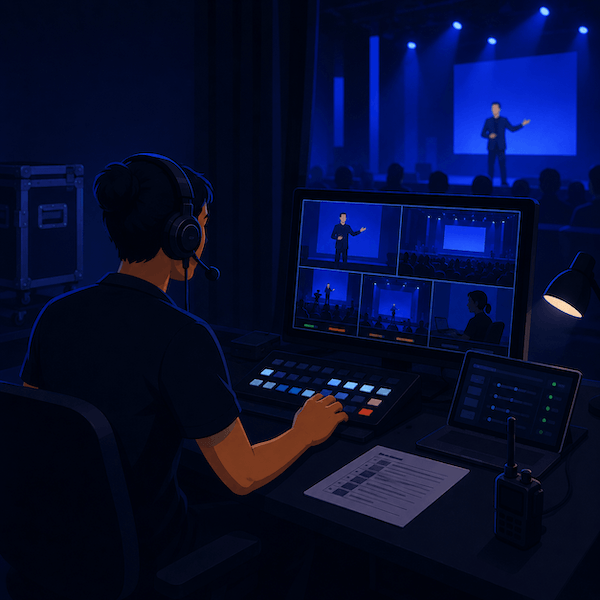
A producer I worked with kept her run-of-show on a single legal pad. Hand-written. With colored highlighters. She could call a 90-minute show from it without flinching. Every cue landed, every graphic hit, every transition felt rehearsed even when it wasn’t. Her secret wasn’t the legal pad. It was that the document had everything she needed in one place at one glance: time, segment, who’s on, what graphic, what audio, and, crucially, what comms cue.
Most run-of-show templates online are missing that last column. They cover what the audience sees and hears, but not how the crew talks to each other to make it happen. This one fixes that.
You can copy the structure into Google Sheets, Notion, Airtable, or whatever your team already uses. The principles travel.
What a run-of-show actually is
A run-of-show (ROS, sometimes “rundown”) is a time-based document that lists every segment of a show in order, with everything that has to happen for each segment. It’s the production team’s shared reality during the show.
The document does three jobs at once:
- Maps the audience experience over time so the producer knows when to cut, throw to a feature, or wrap a segment.
- Tells each crew member what they own in each segment: what to switch to, what graphic to load, what mic to bring up.
- Provides cues that the show caller reads aloud during the show to tell everyone “this is happening now.”
A good ROS makes a 90-minute show callable by one person in real time. A bad one makes the same show feel like fifteen people improvising in parallel.
Anatomy of a row
Every row in a ROS represents a segment of show time. The columns are where most templates differ. Here’s a column set that works for live streams:
| Time | Duration | Segment | Cam | Audio | Graphic | Comms cue | Notes |
|---|---|---|---|---|---|---|---|
| 19:00:00 | 0:30 | Pre-roll | — | Music bed | Lower-third “LIVE" | "Stand by, ten seconds” | Confirm chat is open |
| 19:00:30 | 0:30 | Cold open package | VTR | Pkg audio | None | ”Roll cold open” | |
| 19:01:00 | 1:00 | Host welcome | Cam 1 | Host mic | Host name LT | ”Take cam 1, mic up Host” | |
| 19:02:00 | 0:45 | Throw to remote guest | Cam 1 | Host + Guest IFB | Two-shot composite | ”Cue Guest, IFB hot” | Confirm guest video |
| 19:02:45 | 4:00 | Remote interview | PiP | Host + Guest mics | Lower-third Guest | ”Standby Q&A graphic at 4:00” | |
| 19:06:45 | 0:15 | Wrap and break | Cam 1 | Host mic, music up | ”We’ll be right back" | "Two-min, music bed up” |
The thing this layout does that most don’t: the comms cue column gives the show caller the exact words they’re going to say into the PL when the segment hits. Not “switch to camera 1”, but “Take cam 1, mic up host.” The crew hears the same phrase every show, in the same rhythm, and reacts on muscle memory.
The cue language
A small vocabulary of cue words goes a long way. The most useful ones:
- “Standby [thing]”: heads-up that something is about to happen. “Standby cam 2.”
- “Take [thing]”: execute the cut or transition now. “Take cam 2.”
- “Cue [person]”: tell the talent to start. “Cue Host.”
- “Roll [thing]”: start the playback of a video or audio element. “Roll cold open.”
- “Up [thing]” or “Down [thing]”: bring an element up or down in the mix. “Music up under host.”
- “Wrap”: wrap up the segment, get to the out point. Used to talent on IFB.
- “Two-min”: two-minute warning. Used to talent on IFB.
If you’ve worked TV, this is familiar. If you haven’t, building this language into your team is the single biggest jump in show quality you’ll get from any one practice.
Writing IFB cues your talent will follow
The talent’s experience of your ROS is whatever the producer says into their earpiece. That’s it. They never see the document. So the rule of thumb:
An IFB cue should be three words or fewer, with a verb.
Good cues:
- “Wrap, ten seconds.”
- “Coming to you.”
- “Stay on Sarah.”
- “Two minutes.”
Cues that don’t land:
- “So we’re going to come to you in about a minute and a half once Sarah finishes her segment.” (Too long, the talent has stopped listening.)
- “You’re up.” (When? Now? In a minute? Be specific.)
- “OK so…” (Filler before the cue, the talent’s brain has already started preparing for the wrong thing.)
The discipline isn’t intuitive. Most producers err on the side of explaining. In an IFB feed, less is exponentially better.
A channel plan that lives next to the ROS
The ROS tells you what should happen. The channel plan tells you how the crew talks to each other while it happens.
Right next to your ROS, paste a small channel plan:
| Channel name | Talkers | Listeners |
|---|---|---|
Show PL | Show caller, director, TD | All crew (cameras, graphics, audio) |
Audio PL | A1, A2 | A1, A2, plus show caller listen-only |
IFB Host | Show caller (push) | Host earpiece |
IFB Remote Guest | Show caller (push) | Remote guest earpiece |
Two PLs and two IFBs. That’s enough for most live streams of this size. In spacecommz.io, this is four channels in your admin panel, with the right people assigned the right talk and listen permissions. (For the IFBs specifically, talent links are the cleanest way to give a remote guest a listen-only feed without giving them PL access.)
A copy-paste starter template
If you want a starting ROS in a Google Sheet right now, here’s the column layout to create:
| Time | Duration | Segment | Cam | Audio | Graphic | Comms cue | Notes |And a few seed rows you can fill in:
| --:--:-- | 0:30 | Pre-roll               | --    | Music bed         | Lower-third LIVE      | "Stand by, ten seconds"     |   |
| --:--:-- | 0:30 | Cold open              | VTR   | Pkg audio         | None                  | "Roll cold open"            |   |
| --:--:-- | 1:00 | Host welcome           | Cam 1 | Host mic          | Host name LT          | "Take cam 1, mic up Host"   |   |
| --:--:-- | 5:00 | Segment one            | Multi | Host + ...        | Segment graphics      | "Standby [transition]"      |   |
| --:--:-- | 0:30 | Break                  | Cam 1 | Music             | Promo                 | "Two-min, music up"         |   |
| --:--:-- | 5:00 | Segment two            | Multi | Host + ...        | Segment graphics      | "Standby [transition]"      |   |
| --:--:-- | 1:00 | Wrap                   | Cam 1 | Host mic          | Out card              | "Wrap, music bed up"        |   |
Fill in the times the morning of show day. Walk it cold with the show caller and the director. Adjust durations to fit the slot you actually have. Print it. Have a copy on every PL position.
How to keep the ROS in sync during the show
Live shows shift in real time. A guest goes long, a sponsor break gets dropped, a feature gets rearranged. The ROS has to stay current or it stops being useful by the third segment.
A few patterns that work:
Designate one person as the “live ROS owner.” Usually the producer’s assistant or an associate producer. They make every change in the document during the show. If the document and reality disagree, the document is wrong. Fix it.
Use a shared, real-time document. Google Sheets, Notion, an internal tool. Avoid PDFs and printed copies as the source of truth.
Color-code in-progress vs done. A simple highlight on the row currently airing, and a strikethrough on rows already aired, gives the show caller a glance-able position marker.
Save the final version. After the show, the actual-aired ROS is the most accurate post-show document you have. Archive it for the next show’s planning.
Where this connects
The ROS is the central artifact, but it works because every crew member knows their part. The live show comms checklist covers the pre-show prep that gets people into the right channels in the first place. The hybrid event playbook extends this template for shows that need to manage two audiences. And if you’re producing your first multi-camera live stream, the live streaming use case has more about how the channel plan above scales as you add cameras.
A good ROS is half the show. The other half is a crew that trusts the cues and the channels they’re hearing them on. Build both, and the next live stream will feel like the rehearsed thing it secretly is.
If you’d like a starting space to wire your channel plan into this weekend, the free tier covers two members, enough to rehearse the whole flow with one collaborator before you bring the rest of the crew in next week.