Hardware vs software intercom: which should your production choose?
A working producer's guide to choosing between traditional hardware intercom and modern software systems: costs, latency, scaling, and a simple decision matrix.
• John Barker
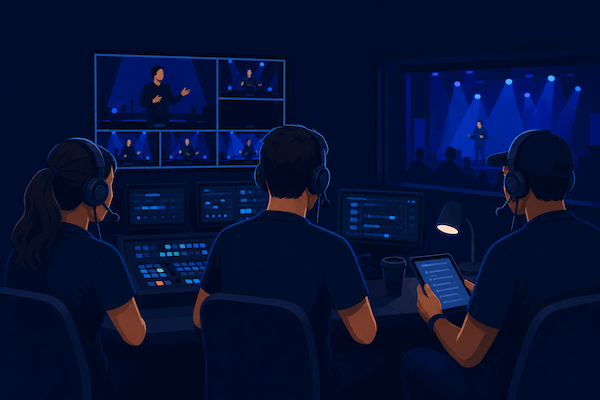
A regional sports broadcaster I spoke with last year was staring at a quote: $48,000 for a refresh of their existing intercom matrix, plus three weeks of integrator time, plus four wireless beltpack licenses they’d outgrown. The system they had was fifteen years old. The replacement was the same architecture, just newer. “There has to be another way to do this,” they said, “or at least a way to spend less of it on the box and more of it on the show.”
They’re not wrong. The intercom market spent the 2010s mostly iterating on hardware, and the 2020s rebuilding from the ground up around software and IP. Here’s how to think about which side you’re on.
What “hardware” and “software” actually mean here
To keep this useful, let’s pin the terms down.
A hardware intercom is a system whose core is a physical matrix or base station, a 1U or larger rack unit, connected to dedicated beltpacks, panels, and headsets via copper, fiber, or proprietary IP. Clear-Com Eclipse, RTS ADAM, and Riedel Artist are the names you’ll see most. Even the wireless variants ultimately terminate at a hardware base.
A software intercom is a system whose core lives on a server or in the cloud, with endpoints running on phones, laptops, and browsers. Audio rides on standard IP, usually WebRTC or SIP, over the public internet or a managed network. spacecommz.io, Unity Intercom, and a handful of others sit here.
Hybrids exist. A lot of modern shows run a hardware spine for fixed positions and a software layer for mobile or remote contributors. We’ll come back to that.
The cost picture
The headline difference is capex versus subscription, and it’s bigger than people often realize.
A hardware deployment for a mid-sized sports or event production typically runs:
- $25k to $150k+ in matrix and panels, depending on port count.
- $1k to $3k per wireless beltpack, plus base stations and antennas.
- Several thousand dollars in cabling, connectors, racks, and integrator labor.
- An annual maintenance contract for firmware updates and support.
- Hardware replacement on a 7 to 10 year cycle.
A software deployment for the same crew size:
- $0 in matrix hardware.
- A monthly or per-user subscription. As a benchmark, spacecommz.io is $8 per member per month or $95 per member per year, free for teams of two.
- Whatever headsets and audio interfaces your crew already owns or wants to buy.
- No depreciation cycle. You’re paying for the service, not depreciating an asset.
The capex savings get the headlines, but the more interesting number is time to first show. A hardware install is measured in weeks; a software space is measured in minutes. For a producer launching a new show or covering a one-off event, that’s the gap that actually matters.
Latency, reliability, and the “what if internet drops” question
This is where hardware still wins on paper, and where software has gotten much better than its reputation in practice.
Latency. A wired hardware matrix can deliver glass-to-glass audio in single-digit milliseconds. A well-tuned WebRTC stack adds maybe 50 to 150ms over a decent internet connection. For PL chatter, both are fine. For tight talent IFB on a music performance, hardware is still the safer bet. For everything in between, which is most shows, you can’t tell the difference once people start talking.
Reliability. Hardware fails too; matrices crash, fiber gets cut, wireless gets stomped on by another show on the same frequency. The honest difference is that hardware tends to fail in predictable ways your engineers know how to recover from, while software depends on whatever the internet is doing that hour. The mitigation is the same either way: redundancy. Two upstream connections. A second device on standby. A clear escalation path to switch over.
“What if my internet drops?” Plan for it. A good software intercom will reconnect automatically and restore channel assignments, and our docs cover this. Most teams add a cellular hotspot as a backup uplink, and put critical positions on a wired connection. For high-stakes shows, a hybrid is the answer.
Scaling on the day
Here’s a scenario hardware doesn’t handle well:
It’s two hours before doors. Your client calls. They’ve added a remote panelist to the show, and they want a producer in another city to be able to cue the camera op on stage. With a hardware system, that’s a frequency coordination conversation, possibly a beltpack rental, possibly a VPN tunnel back to the matrix.
With a software intercom, the admin opens the admin panel, creates a talent link, and sends two emails. Three minutes.
Software’s superpower is elasticity: adding members, channels, and locations is configuration, not procurement. For shows where the crew shape is the same every week, such as a daily news studio or a fixed sports venue, that flexibility is less valuable. For shows that change shape every Saturday, it’s everything.
The hybrid pattern
Most teams that have been doing this for a while end up running a mix.
A common architecture: a hardware matrix as the backbone for fixed positions in the studio, with a four-wire bridge into a software intercom for mobile crew, remote contributors, and overflow capacity. Bitfocus Companion sits in the middle for tactile control, and vMix Call bridges talent video too.
The win is that you don’t have to choose. The hardware matrix is the rock-solid spine, the software layer is the flex. As your team gets comfortable, more roles tend to migrate to the software side because adding a new contributor takes seconds, not days.
A simple decision matrix
If you’re trying to choose for a specific show, here’s a starting framework:
- Crew size under 10, fewer than 4 fixed positions, mostly distributed: software-only.
- Daily fixed studio, 10 to 30 crew, reliability is paramount: hardware spine + software for guests and remote staff.
- Sports or event production with mobile crew on the floor: hybrid by default.
- Houses of worship and volunteer-driven productions: software-only, since volunteers’ phones become beltpacks. (more here)
- One-off corporate event in a venue: software-only unless the venue already has hardware you can ride on.
- National or international live network broadcast: hardware spine, with software for remote IFB and overflow.
If you’re early on the curve and most of your shows fit one of the first three rows, you can probably skip the hardware procurement cycle entirely. If you’re running a 24/7 facility, you almost certainly want hardware and software.
How to actually try this
The best way to evaluate software intercom isn’t a spec sheet. It’s an hour with one other person on a real show prep. Set up a free space, wire up a couple of channels, put a headset on, and see how it feels under your hands. If it doesn’t pass that bar, no comparison chart will save it. If it does, you’ll know quickly.
For deeper reading on either path: Remote production (REMI) explained is the companion piece for distributed workflows, and the live show comms checklist covers the day-of habits that matter regardless of which kind of system you end up running. If you’re heading toward a hybrid setup, our Companion integration is where physical control surfaces still fit beautifully in the picture.