The live show comms checklist: from pre-show to strike
A producer's checklist for production comms before, during, and after a live show: what to test, what to confirm, and what to debrief.
• John Barker
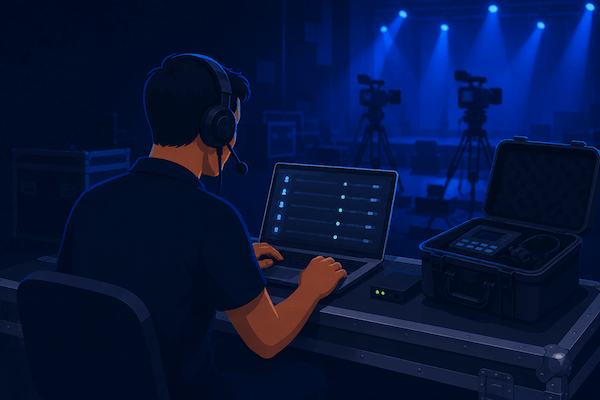
You can rebuild every other part of a live production on the fly. You can lose a camera and recover. You can lose a graphic and ad-lib. The one thing you can’t recover from in real time is the crew can’t hear each other. Once that’s gone, every other plan is paper.
This is the checklist I wish someone had handed me on my first show. It’s not a script. It’s a set of small habits that, run reliably, make the difference between a calm headset and a chaotic one. Print it, fork it, paste it into your show doc, whatever fits.
T-minus 24 hours: the prep pass
The night before the show, or a working day ahead for bigger productions:
- Channel map exists in writing. Not in someone’s head. A simple table of channel name → who’s on it → talk or listen. Share it where the crew already lives, whether that’s Slack, Notion, or the show’s run sheet.
- Every crew position has a comms plan. Director: PL + IFB to talent. Camera op: PL listen, push-to-talk to PL. Audio: own coordination channel + PL listen. Don’t leave anyone with “we’ll figure it out tomorrow.”
- Every crew member has been added to the space and tested their login. Catching a typo’d email at 24h is fine. At 5 minutes, it’s not.
- Talent links sent to talent and remote guests. Listen-only links for anyone who shouldn’t be talking on the crew channels.
- Headset inventory. Count headsets, count crew, count spares. Spares are not optional.
- A backup uplink exists. Cellular hotspot, second venue Wi-Fi, anything. If the venue’s network goes down at showtime, you want one second of confusion, not ten minutes.
T-minus 1 hour: the soundcheck
This is the most under-appreciated 30 minutes on the production schedule. Skip it and you’ll spend the first half-hour of the show debugging things you could have caught.
A working call-and-response soundcheck:
- Each crew member confirms they hear the director on PL. Director says, “Camera one, hear me?” Camera one answers, “Loud and clear.” Round-robin every position.
- Each crew member confirms they can talk back. The most common silent failure: someone joins, can hear everyone, and assumes their mic works. It doesn’t. Force a check.
- Listen levels checked at every position. A volume that feels right at home will be drowned by ambient room noise on stage.
- Push-to-talk and hands-free behavior tested. If a camera op is supposed to push-to-talk, confirm pressing the key actually opens their mic, and releasing closes it.
- Talent IFB tested with talent. Not “I tested it with the producer’s earpiece earlier.” With the talent. With the actual earpiece they’ll wear.
- A program feed test if you’re using one. PGM mode on, music plays, no compression artifacts on the receive end.
If you’re running an integration like Companion, this is also when you confirm every button you’ve programmed actually does what you think it does. A button you find isn’t working at T-minus 90 seconds is a button you’ll never use again.
T-minus 5 minutes: the lock
Quick, last-pass:
- All non-essential members muted on PL. Anyone who’s just listening shouldn’t be open-mic. The clinking of a coffee cup on PL during a solemn moment is its own kind of disaster.
- Critical roles confirmed present. Director, TD, A1, talent IFB feed verified within the last five minutes.
- Recording started if you record your comms (good for debrief, training, and incident review).
- Phones silenced. Yours included.
During the show: in-show troubleshooting
Things will go wrong. The goal is to recover without the audience noticing. The patterns:
Someone drops off. They click their link again. Channel assignments restore automatically. A spacecommz space is designed to handle reconnects mid-show without re-setup; if a hardware system, run your standard fallback (move them to the spare beltpack you put on standby, and you did put one on standby, right?).
Echo on a channel. Almost always one user has both their headset and their laptop speakers active. Mute their listen output, ask them to plug their headset in, unmute.
Hot mic on PL. A camera op’s headset is rubbing against their jacket and broadcasting wind to the whole crew. Admin can mute that member’s talk on PL until they fix it. (Don’t shame them. Headsets do this. Move on.)
Talent can’t hear cues. Check IFB feed first, then talent’s earpiece volume, then the producer’s mic. The earpiece is the most common offender.
A whole channel goes silent. Something at the source. Check the talker’s connection state, then the channel config in admin. Resist the urge to delete and recreate. That’s the equivalent of restarting the server in the middle of a sale.
Post-show: strike and debrief
The thing nobody documents:
- Channel template saved. If your space supports it, save the channel layout as a template you can clone for the next show. Future-you will thank present-you.
- Talent links revoked or expired. Especially if guests had any access to working channels.
- Headsets accounted for. They walk off. Make a list.
- Five-minute crew debrief on comms. Not a meeting. Just: “Was there anything you couldn’t hear when you needed to?” That single question, asked of every position, will improve every show that follows.
- Comms recording archived (if you record). A 90-second clip of “the moment everything went sideways” is the best teaching material you’ll ever have.
A note on running this for the first time
If you’ve never run comms for a live show, a list this long can feel intimidating. It’s not. The first three or four shows you do, you will skip half of these and survive. The point of the list is that as you start running shows that can’t survive a missed step, such as paid corporate events, ticketed performances, and sports broadcasts, you have something to fall back on so you don’t have to remember every detail under pressure.
A few companion reads that pair well with this list: the run-of-show template is the document this checklist sits next to during the show; our admin walkthrough has the space-setup side; and the live streaming use case has examples of what good channel maps look like for multi-camera shows.
One last thing
Your most reliable habit isn’t on this list. It’s: ask the room a real question 30 seconds before you go live. Not “everyone good?”, which just gets you nods. Something specific. “Camera two, can you hear me right now?” If they answer, your comms work. If they don’t, you have 30 seconds to find out why.
That’s the whole job. Good shows.