Remote production (REMI) explained: how at-home broadcasts work
A practical, comms-first explainer of REMI workflows: what they are, how the signal chain works, and where production communication fits in a distributed broadcast.
• John Barker
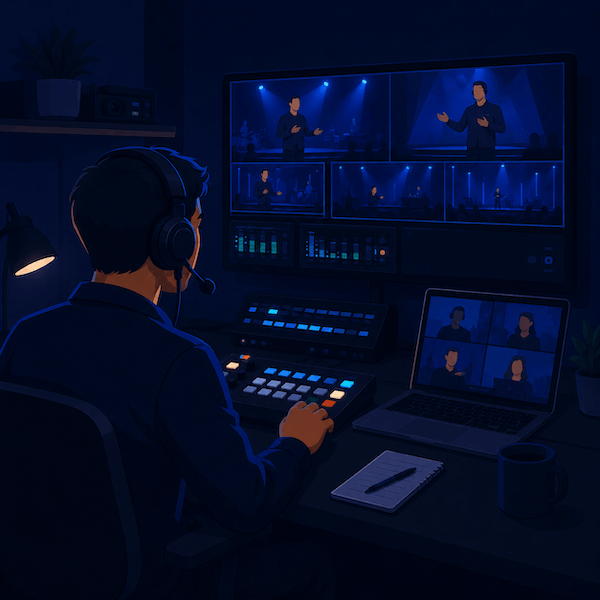
In March 2020, broadcasters around the world had a problem. Live sports needed to be produced. Live news needed to keep going. And the producers, directors, and graphics ops who normally sat side by side in control rooms suddenly couldn’t be in the same building, let alone the same truck.
What started as crisis improvisation hardened into a real architecture. Today, “REMI”, short for REMote Integration model, is how a huge slice of live broadcasts gets produced, even when there’s no pandemic forcing the issue. Cheaper trucking, a smaller venue footprint, and the ability to use the best operator regardless of where they live all add up to a workflow that’s just better.
If you’ve heard the term thrown around and want to actually understand what’s happening under the hood, and where production comms fits in, here’s the tour.
What REMI actually is
REMI is a production model where:
- Cameras, microphones, and on-site crew are at the venue.
- Switching, replay, graphics, audio mixing, and direction happen at a central production hub somewhere completely different.
- Video, audio, and comms ride over IP networks between the two.
Compare that to traditional on-site production, where the entire team is at the venue in a truck or control room, and fully remote production, where everyone including camera ops works from home.
REMI is the middle ground, and it’s the model most pros land on for one simple reason: cameras have to physically be at the venue, but a producer doesn’t.
Why REMI took over
A few converging trends pushed this from “interesting experiment” to default:
- Public IP got fast and reliable enough. Single-digit-millisecond bonding tech and lower bandwidth video codecs made round-trip video viable.
- Camera control over IP matured. Producers can now ride iris and white balance from a thousand miles away.
- Crews moved. The pool of available talent stopped being “who lives near this stadium” and became “who’s good and free that night.”
- Costs. A single regional production hub serving four games on a Saturday is cheaper than four trucks rolling out at 6 a.m.
- Sustainability. Far fewer trucks, far less fuel, smaller carbon footprint per show.
The networks figured this out first. College conferences and regional sports rights holders followed. Now even mid-tier corporate event producers run REMI architectures for their roadshow seasons.
The signal chain in plain English
Here’s what physically happens, in order, on a typical REMI broadcast:
- At the venue: cameras shoot. Their video feeds go into an on-site encoder, usually something like a Haivision Makito, AJA Bridge LIVE, LiveU, or a custom NDI-over-fiber rig.
- Audio captured at the venue (announcer mics, ambience, in-ear talent feeds) is also encoded.
- Everything heads upstream over IP to the central hub. The transport protocol matters here. We’ll come back to it.
- At the hub, decoders convert IP back to baseband (SDI or NDI) for the switcher, replay, and audio mixer.
- The show is built in the central control room: cuts, graphics, replays, audio mix.
- The finished program goes back down the network to a transmitter, CDN, or broadcaster’s master control.
- A return feed goes back to the venue with program audio so the on-site crew and talent can hear what’s going to air.
- Comms ride alongside everything, but as a separate service.
SRT, NDI, RIST in one paragraph each
You’ll hear three transport names a lot. The 90-second version of each:
- SRT (Secure Reliable Transport) is the workhorse for venue-to-hub video over the public internet. Open source, error-tolerant, encrypted. If you’re encoding venue cameras and shipping them across a city, you’re probably using SRT.
- NDI (Network Device Interface) is the LAN protocol that’s everywhere now. Low latency, high quality, easy to discover. You’ll see it inside the venue (camera to encoder) and inside the hub (decoder to switcher), but rarely across the public internet without bridging. We dig into it more in NDI for live streaming.
- RIST (Reliable Internet Stream Transport) is SRT’s slightly more enterprise sibling, with broader vendor support in some legacy ecosystems. Functionally similar for most uses.
You don’t have to pick. Most REMI rigs use NDI inside each location and SRT (or RIST, or LiveU bonding) between them.
Where comms fits
This is the part most REMI explainers underplay.
A producer in another city is useless if they can’t talk to the camera op on the floor in real time. The same is true of the floor manager, the announcer’s earpiece, and the stage manager. Comms is the connective tissue of REMI, and it’s a separate service from your video transport.
What works well:
- A software intercom that runs over standard IP, the same kind of network you’re already using for video, for both venue and hub.
- Browser-based access at the venue for runners, floor managers, and other roles where carrying a laptop is impractical.
- Mobile app access so a sideline or roving role can be on comms via a phone.
- A way to add talent as listen-only earpieces without giving them the ability to talk on crew channels. See talent links.
What does not work well:
- Trying to use Zoom or Discord as crew comms for a REMI show. They’re decent video tools, but they don’t give you separate PLs, IFB feeds, and PGM modes. You’ll fight them all day.
- A hardware matrix that requires a hardware panel at every position. The whole point of REMI is portability of position.
The architecture most REMI shops settle into: a hardware-spine intercom at the central hub for fixed positions, plus a software intercom layer like spacecommz.io for mobile and remote roles, bridged together by a four-wire interface. We get into the trade-offs in hardware vs software intercom.
Latency budgets and sync gotchas
Here’s a nuance that bites REMI productions all the time: video and comms have different latency budgets, and they don’t always agree.
A typical REMI video path adds 200-800ms of glass-to-glass latency depending on encoding settings. That’s fine for the audience watching the broadcast, because they have no reference. But for an announcer in a booth at the venue, watching the game live with their own eyes while hearing program audio on a 500ms delay, it’s confusing.
Software intercom typically adds 50-150ms. Much closer to real time, but enough that an announcer’s “ready” cue from the producer needs to come a hair earlier than feels natural.
The fix: keep comms tight, accept that program audio for talent will be slightly delayed, and rehearse the timing so cues land in the right window. After two or three shows, you stop noticing.
A sample REMI rig for a $5K budget
If you’re producing your first REMI show on a tight budget, say a college football game with one announcer and three cameras, here’s a workable starter rig:
At the venue:
- 3 cameras into a small switcher (Blackmagic ATEM Mini Extreme or similar): ~$1,500
- A Teradek or Magewell encoder for one program-feed return: ~$700
- A LiveU Solo or similar for the program output back to the broadcaster: ~$1,500
- A laptop running browser-based intercom for the floor manager and on-site engineer: $0 incremental
- Headsets and a small audio interface: ~$300
At the hub:
- A laptop running the same browser-based intercom for the producer and director: $0 incremental
- A streaming destination (YouTube, Twitch, or your CDN of choice): $0 incremental
Glue:
- A spacecommz.io space with channels for crew PL, audio PL, and announcer IFB: free for 2 members or $8/member/month for the whole crew.
That’s not a comprehensive REMI rig. It is enough to get a small game on air with a producer in another city, and to learn the ropes of REMI without writing a check for $50,000 of encoders. From there you scale up: more cameras, redundant uplinks, dedicated audio paths.
Where to go next
If you want to see what the architecture looks like inside a working production: Production comms for remote and distributed teams has more concrete examples. If you’re newer to live sports specifically, Sports broadcast comms 101 covers the people side of the same workflow.
REMI isn’t magic. It’s just a few well-understood pieces (IP transport, central control, distributed crew, software comms) strung together. The crews who do it well treat it as a normal production architecture, not a workaround. After a season, it just becomes “how the show is made.”
If you’re putting together your first REMI rig and want to see how the comms layer fits in practice, the free starter space is a five-minute setup. Add a producer at one address, a “venue” laptop at another, and you’ve simulated the whole architecture before any encoders show up.