What is a production intercom? A plain-English guide for live shows
A friendly, jargon-free explainer for anyone new to broadcast comms, covering what an intercom does, who needs one, and where browser-based systems fit.
• John Barker
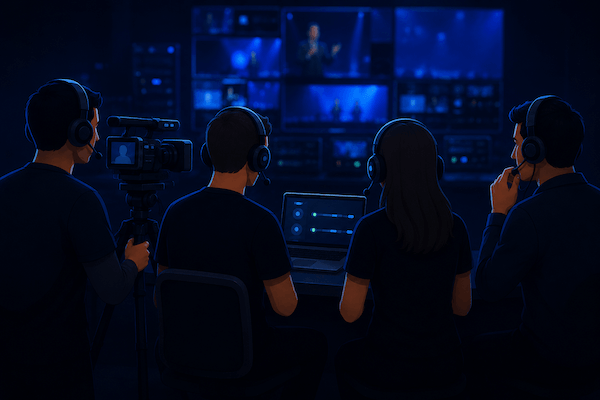
The director’s voice cuts through a quiet pause: “Stand by camera two, we go in five.” Camera two answers back without a word, just a thumb-up to the lens. Across the building, a graphics op clicks the next lower third into place, and somewhere on a hotel Wi-Fi a remote guest hears their cue and starts talking. Nobody shouted. Nobody walked across the studio floor. A live show just happened, and everyone was on the same page.
That coordination is the job of a production intercom. If you’ve ever wondered what the cluster of acronyms, beltpacks, and headsets in a control room is actually doing, this is the friendly tour.
What an intercom actually does
A production intercom is a real-time, full-duplex audio system that lets a crew talk and listen at the same time, on multiple separate channels, while a show is in progress. That’s it.
But hidden in that one sentence is most of what makes a show feel professional:
- Real-time: no buffering, no “you cut out, can you say that again.” Latency under a hundred milliseconds or it gets in the way.
- Full-duplex: both sides can talk simultaneously without one stepping on the other. A walkie-talkie is half-duplex; an intercom is more like a phone call.
- Multiple channels: the director isn’t on the same channel as the audio engineer’s coordination chatter. People hear only what they need to hear.
- While the show runs: built to be reliable for hours of continuous use under pressure, not for a 30-minute meeting.
Email, Slack, Discord, and Zoom are great tools, but none of them tick all four boxes. That’s why broadcast and live event teams have used dedicated intercom systems for decades.
The pieces of a traditional system
If you walk into a TV truck or a control room, you’ll see a few recurring shapes:
- A base station (sometimes called a matrix or a master station), the brain that routes audio between everyone.
- Beltpacks: little wired or wireless boxes the crew clip to their belts, with a button or two and a headset jack.
- Headsets: single- or double-sided, with a boom mic.
- Channels: the logical “rooms” people talk in. PL (party line) is the always-on crew channel. IFB sends instructions one-way to on-air talent. (We unpack the acronyms in Talkback vs IFB vs PL.)
For a small show this might be a $2,000 setup. For a sports truck, it can be six figures of hardware and weeks of installation.
Wired, wireless, and IP-based
There are roughly three eras of intercom, and most live productions today combine all three:
- Wired analog: copper cable, four-wire or two-wire, rock-solid and unfussy. Still the spine of most fixed installs.
- Wireless: RF beltpacks for camera ops, floor managers, and anyone who has to move around. Adds frequency coordination headaches.
- IP-based and software: audio over Ethernet or the public internet. This is where modern remote production lives, and where browser-based systems like spacecommz.io fit.
The reason IP changed everything is simple: once your intercom rides on a network instead of a custom cable, anyone with internet can join the same conversation. A camera op on the venue floor, a director at home, and a guest in another country can all be on the same PL.
Where browser-based intercom fits in 2026
For a long time, “professional intercom” meant “expensive hardware.” That assumption is finally cracking. A few shifts made it possible:
- WebRTC matured to the point that a tab in Chrome or Safari can carry production-grade audio.
- Crew members already carry capable devices (laptops, phones) and good headsets.
- Production teams are increasingly distributed. Even in-venue shows have remote contributors.
Browser-based intercom replaces the base station with a cloud service, replaces beltpacks with whatever device people already have, and lets you spin up a show in minutes instead of weeks. You lose some of the tactile feel of physical buttons, but you gain enormous flexibility, and a much smaller invoice.
It’s not a fit for every production. A live network sports truck with sixty crew positions is going to keep its hardware matrix for a long time. But for the much larger world of streaming studios, corporate AV, sports at the regional and college level, houses of worship, and multi-site remote shows, it’s often a better tool for the job.
Do you actually need a real intercom?
A useful gut check: if there are more than three people whose audio cues affect each other in real time, you need an intercom.
That’s a podcast guest who needs cues from a producer; a streamer with two camera ops and a graphics op; a wedding videographer with a second shooter and a ceremony AV team. Discord can carry the audio, but it doesn’t give you separate talk and listen groups, push-to-talk on specific channels, or one-way cue feeds to talent. And the moment a guest needs to be on comms but not on the public stream, a generic chat tool starts to creak.
If you’re new to all of this, the next question is usually “what does the setup actually look like for my kind of show?” We have a few starting points:
- For streamers and multi-camera live productions: Production comms for live streaming.
- For volunteer-driven church teams: Houses of worship.
- For corporate and hybrid events: Corporate & hybrid events.
And if you’d rather see how a space actually gets configured, the admin walkthrough covers it end to end.
The takeaway
A production intercom isn’t a magic box. It’s a way to give a crew the right amount of context (and only the right amount) so the show feels seamless to the audience. Whether that runs on a copper-wired matrix from 1995 or a tab in your browser in 2026 matters a lot less than whether the audio gets to the right ears at the right moment.
If you’re sketching out comms for a show you’re producing soon, the most useful next read is probably Talkback vs IFB vs PL. Those are the acronyms you’ll keep running into. Or if you’re already past that and trying to decide between hardware and software, we wrote up the trade-offs.
Or skip the reading and start a free space. An hour of hands-on with one other person is worth a week of reading.