You can now delete a space
Spaces you no longer need can now be removed for good, along with everything inside them. Plus a round of performance work on notifications and party lines.
• John Barker
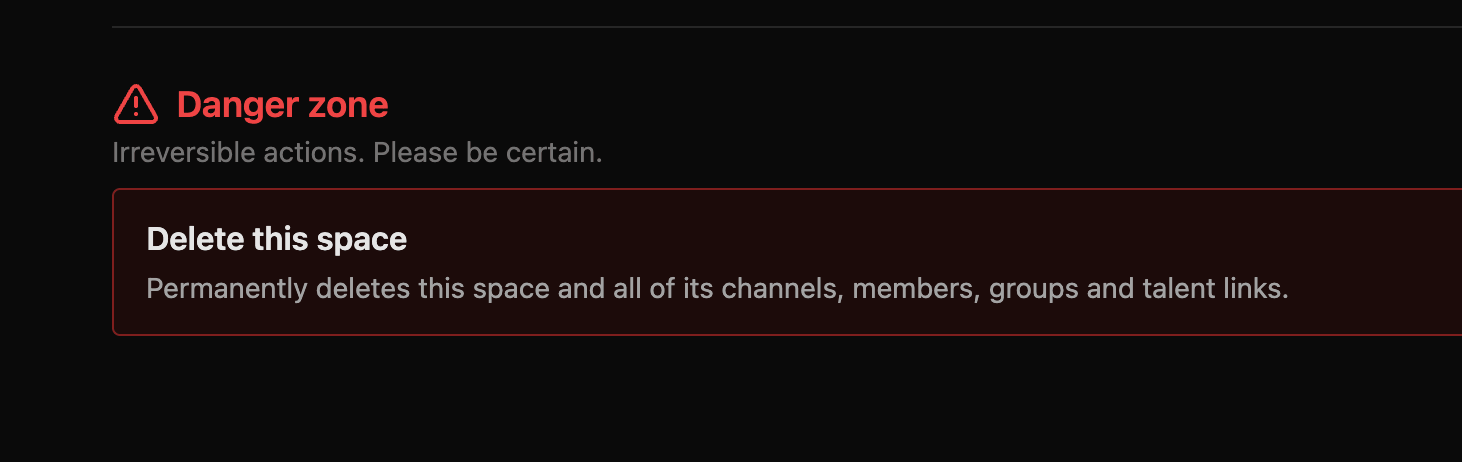
Every show eventually wraps. Until now, the space you built for it stuck around afterwards, cluttering up your list long after the trucks had left. That changes today: space admins can now delete a space outright.
Clearing out the old shows
You’ll find the option in your Space Admin settings, tucked away at the bottom under a clearly marked Danger zone. Deleting a space removes everything that lived inside it: channels, members, groups and talent links all go with it. Anyone still connected at the time will be disconnected.
It’s a permanent action, so we’ve put a deliberate speed bump in front of it. You’ll be asked to type the name of the space before the delete button becomes active, in the same way GitHub asks before you remove a repository. It’s a small bit of friction, and it’s there on purpose. There’s no undo, and no way for us to bring a deleted space back.
If a space is one you might want again next season, it’s worth leaving it in place rather than deleting and rebuilding it from scratch.
A quicker space
Alongside that, we spent some time on performance. Notifications no longer trigger unnecessary re-rendering, and we’ve optimised how party lines render.
The upshot is a more responsive space, and the difference is most noticeable if you’re running a larger production with plenty of party lines in play. There’s nothing to turn on. Load your space and it’s already there.
As always, updates arrive automatically. Next time you open spacecommz.io you’ll be on the latest version, with nothing to install.
Want the full list of what’s changed? Have a look at App updates.